My Badges
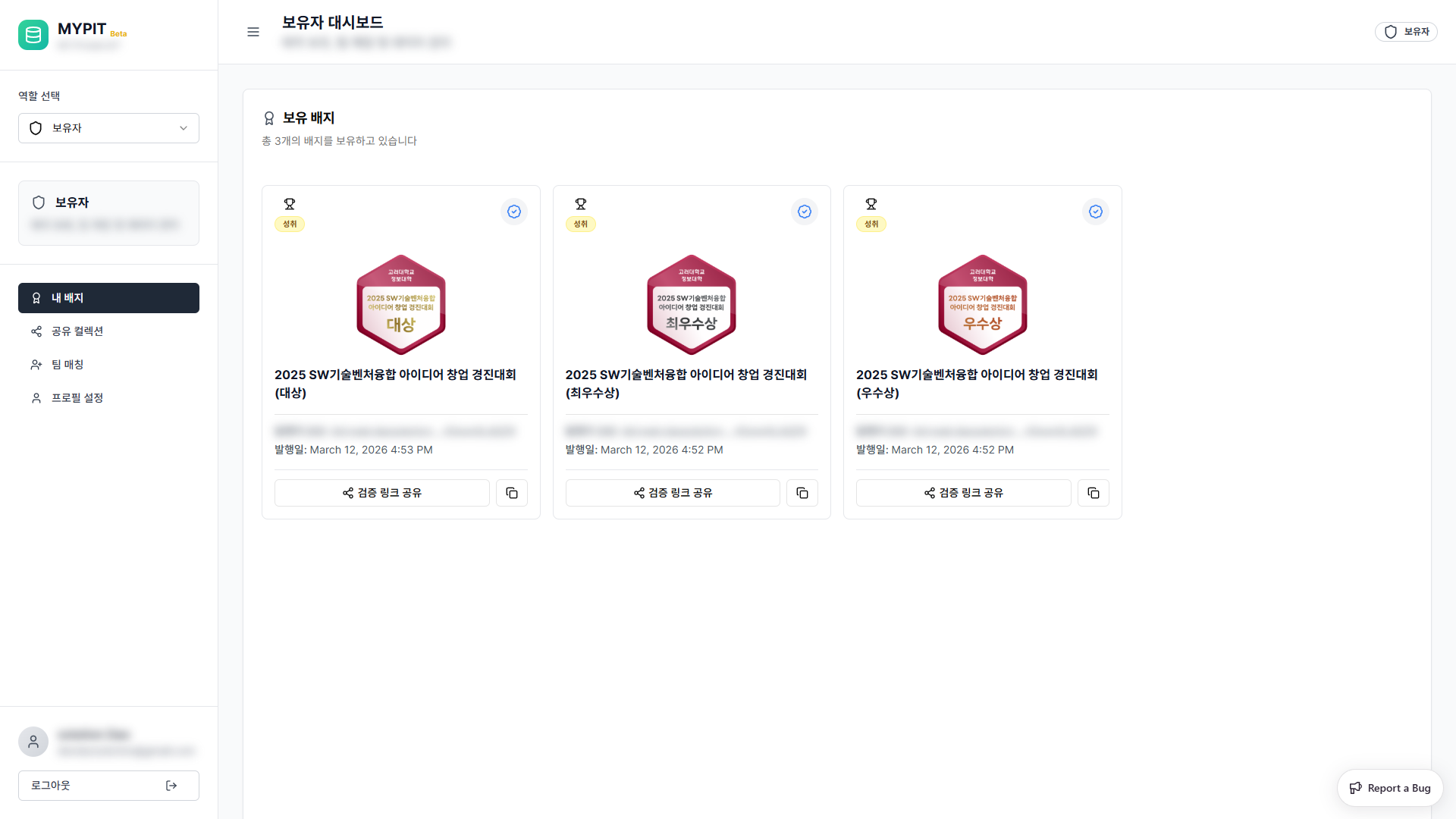
The My Badges section shows all digital badges you currently hold.
What are Badges?
Badges in MYPIT are verifiable digital credentials linked to your decentralized identity (DID). They serve as proof of achievements, participation, or verified attributes issued by a trusted Issuer.
Viewing Your Badges
- Click 내 배지 (My Badges) in the sidebar
- The main area displays the total badge count and a grid of your badge cards
Empty State
If you have no badges yet, you will see:
"보유 배지가 없습니다" (No badges held)
Badges are issued to you by an Issuer after your data or achievement is verified.
Badge Card Information
Each badge card shows:
- Badge image and type chip (e.g. 성취 — Achievement)
- Verified status icon (blue checkmark)
- Badge name (title of the credential)
- Issuer DID (truncated decentralized identifier of the issuer)
- Issue date
Sharing a Badge
Each badge card has two sharing controls:
| Button | Action |
|---|---|
| 검증 링크 공유 | Opens the share dialog with a QR code and verification link |
| Copy icon | Instantly copies the verification link to clipboard |
Share Dialog
Click 검증 링크 공유 to open the badge share dialog.
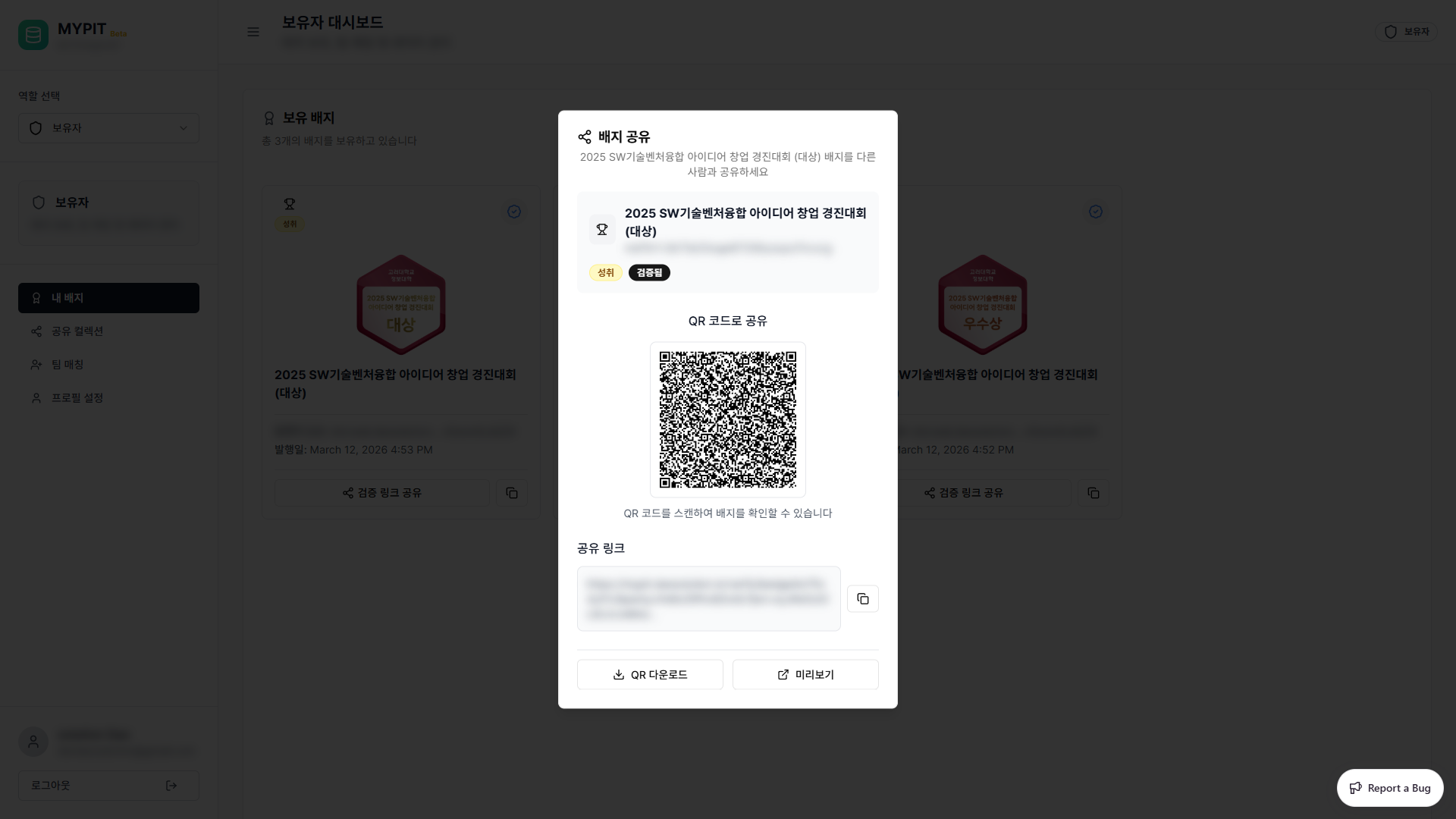
The dialog provides:
- QR code — scan to verify the badge instantly
- Share link — a URL containing a signed JWT for verification
- QR 다운로드 — download the QR code as an image
- 미리보기 — opens the public verification page in a new tab
Verification Preview
Clicking 미리보기 opens the badge verification page:
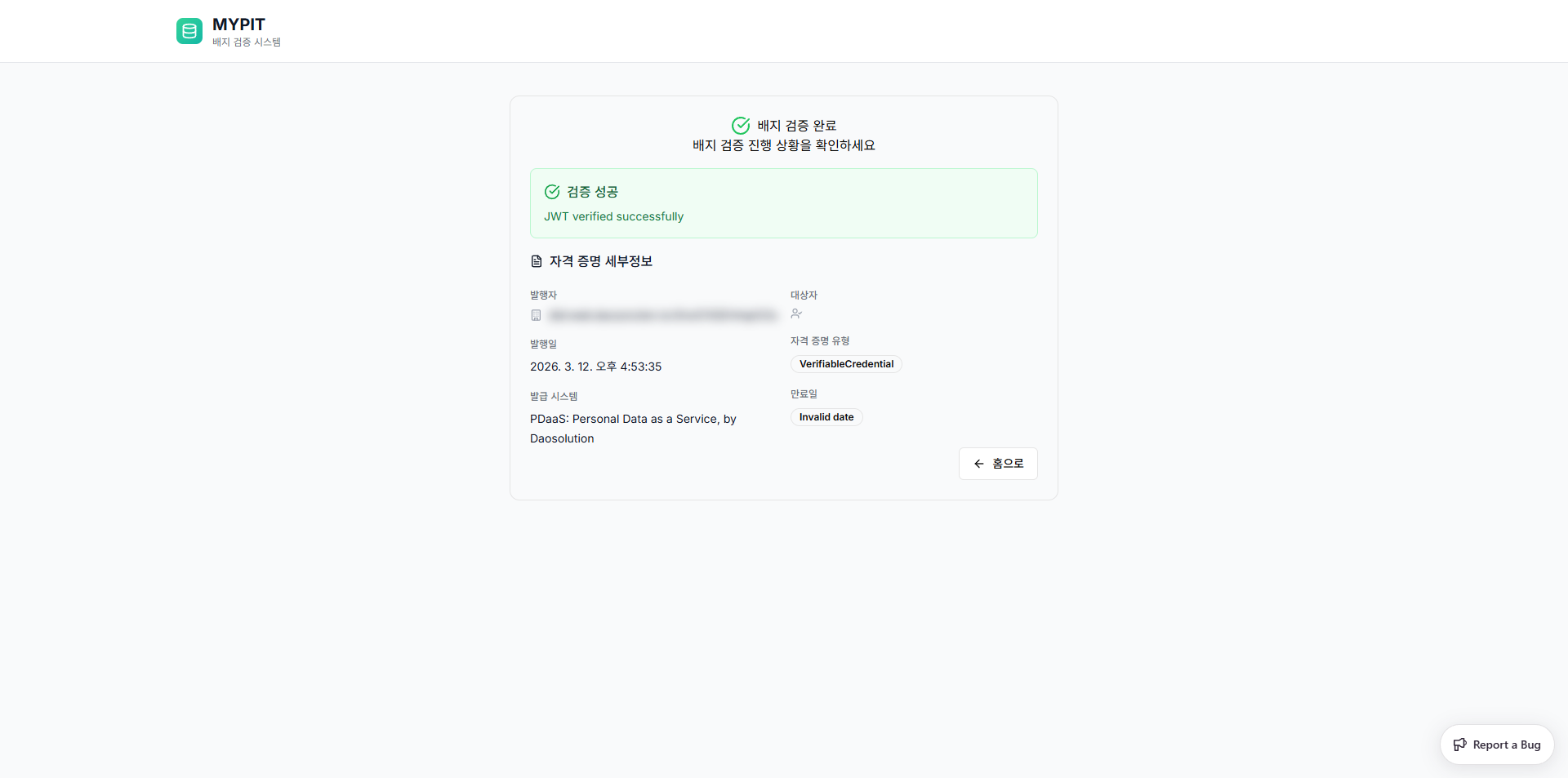
The page confirms:
- 검증 성공 (JWT verified successfully)
- Credential details: Issuer DID, issue date, credential type, and issuing system
Using Your Badges
Once you have badges you can:
- Add them to a Shared Collection to showcase them
- Use them for Team Matching within a class
→ Next: Shared Collections