Joining a Class
Classes are spaces where a group of Holders can participate in team-based activities. You join a class using a class code provided by the class creator.
Step 1 — Open Team Matching
Click 팀 매칭 (Team Matching) in the sidebar.
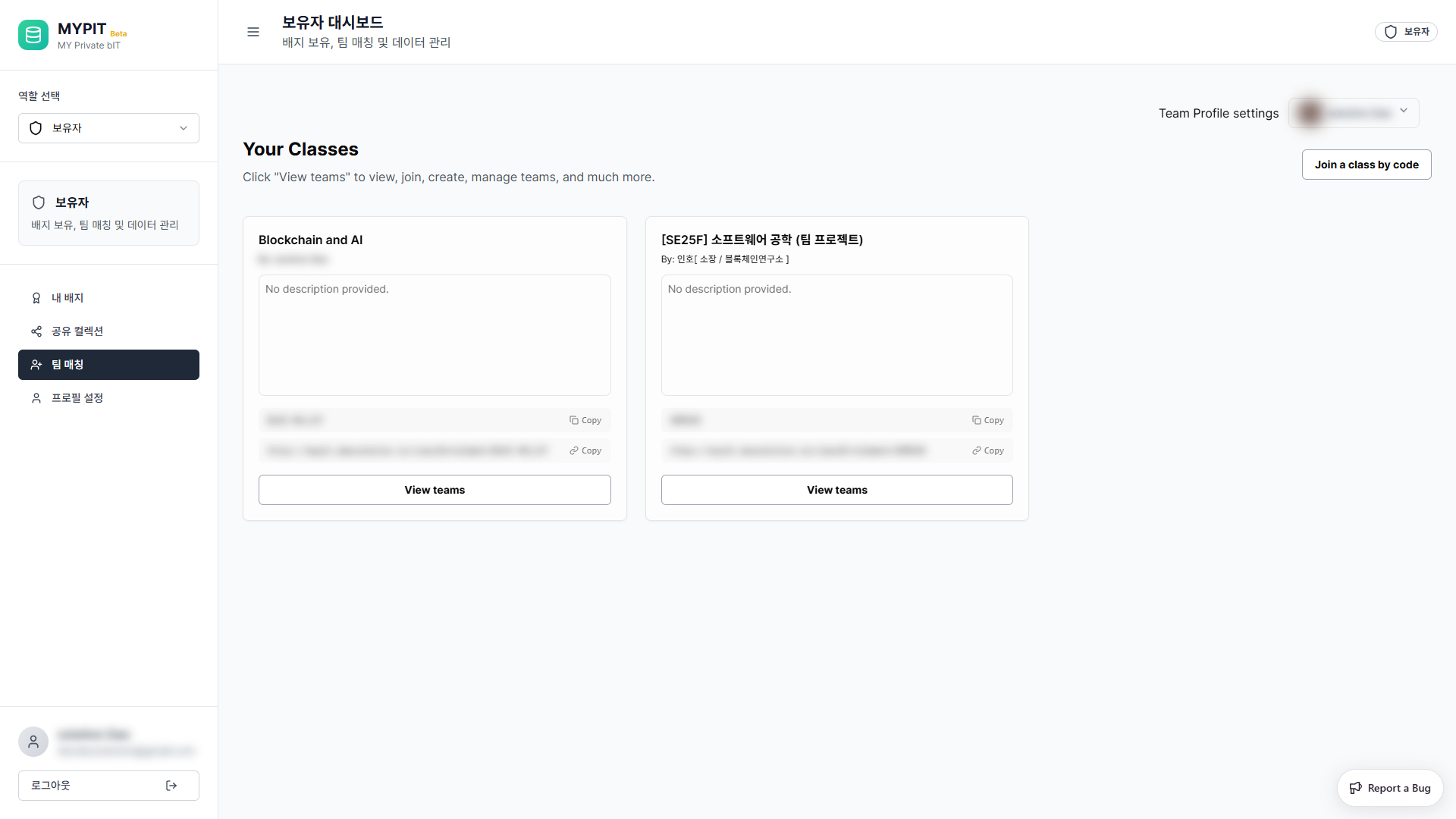
The Your Classes page shows all classes you are currently enrolled in.
Step 2 — Click "Join a class by code"
Click the Join a class by code button in the top-right corner.
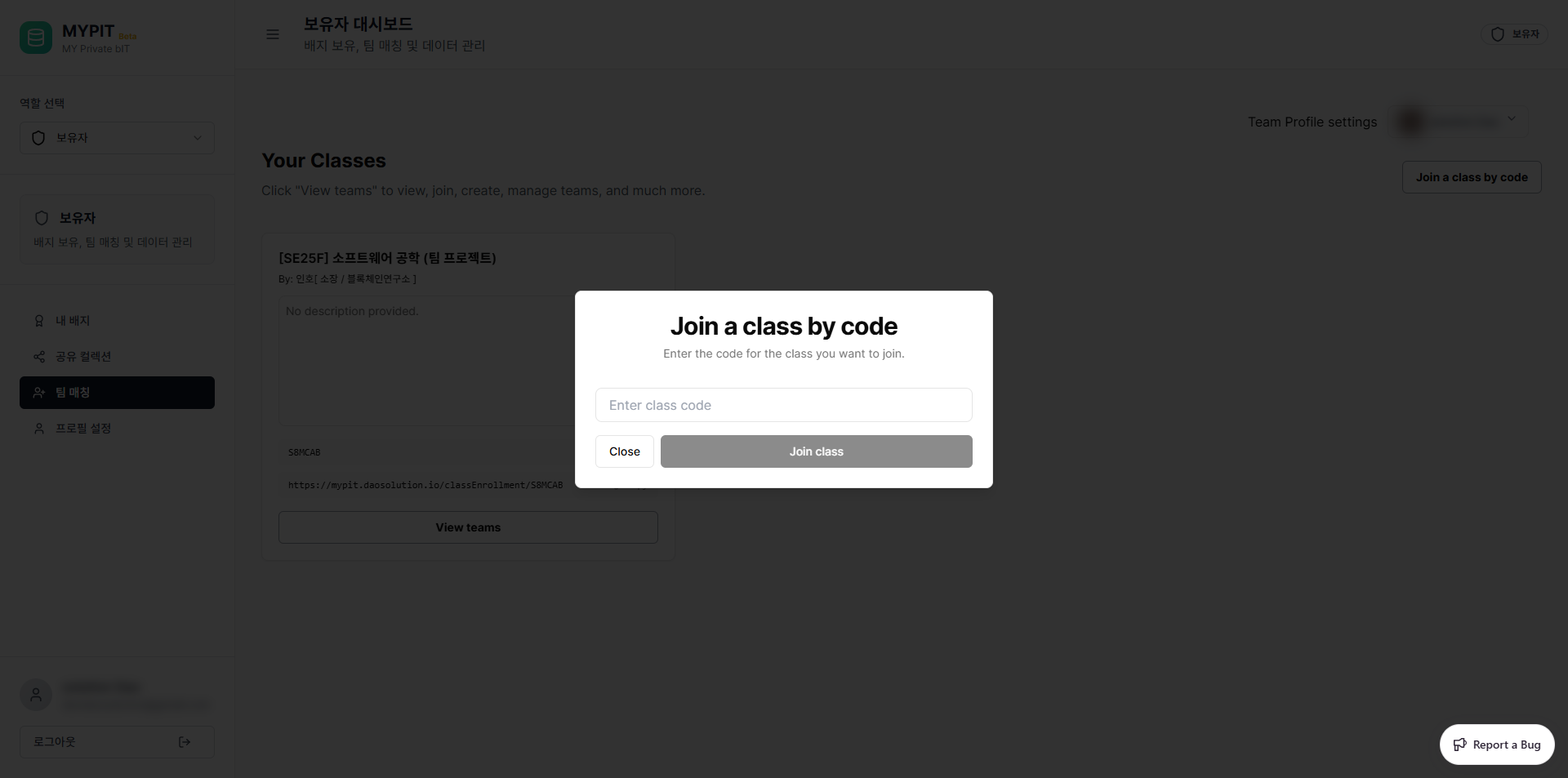
A dialog will appear asking you to enter a class code.
Step 3 — Enter the Class Code
Type the class code you received (e.g. BLOC-4KLL5Y) into the input field.
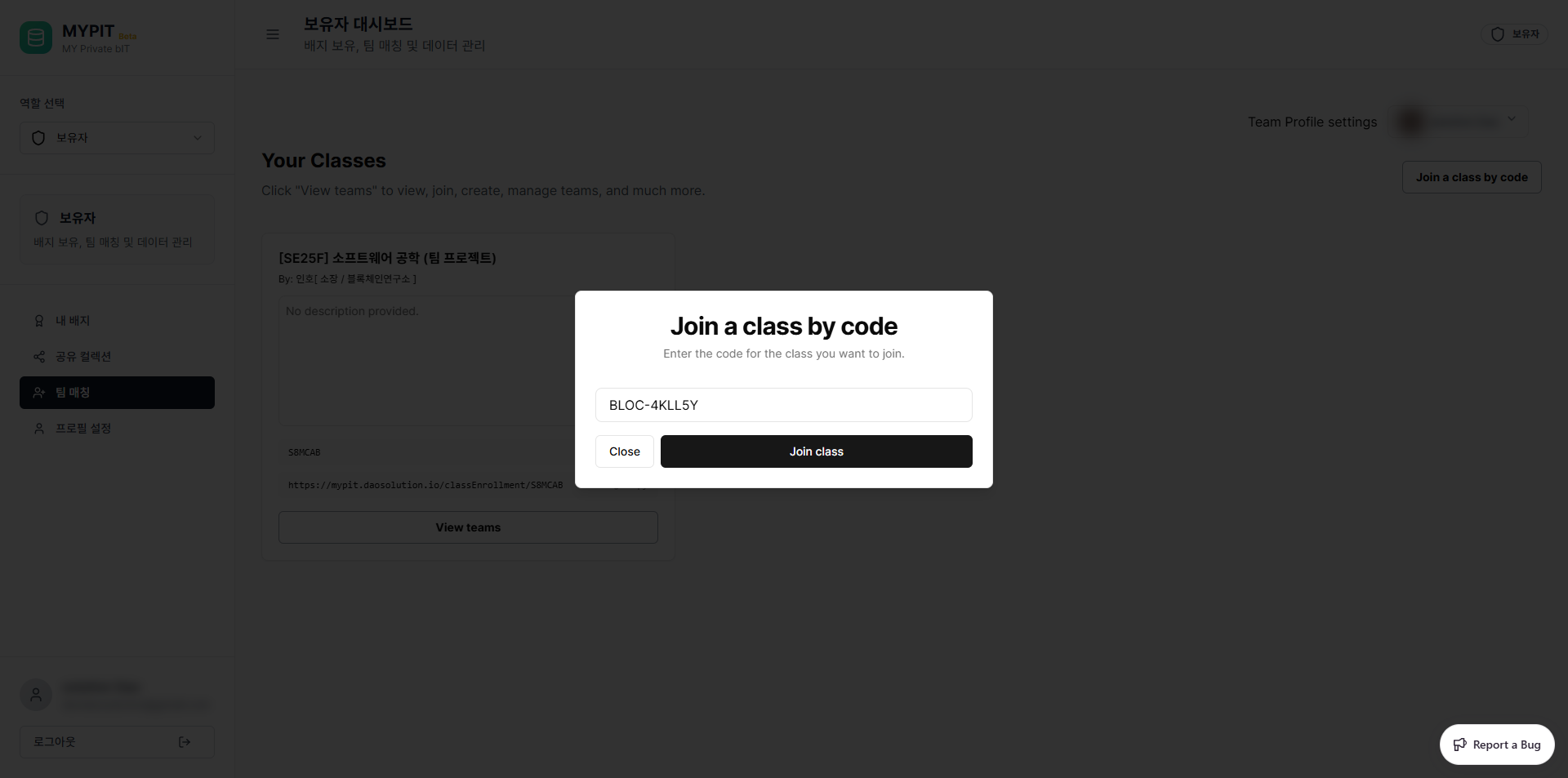
The Join class button becomes active once a code is entered.
Step 4 — Confirm
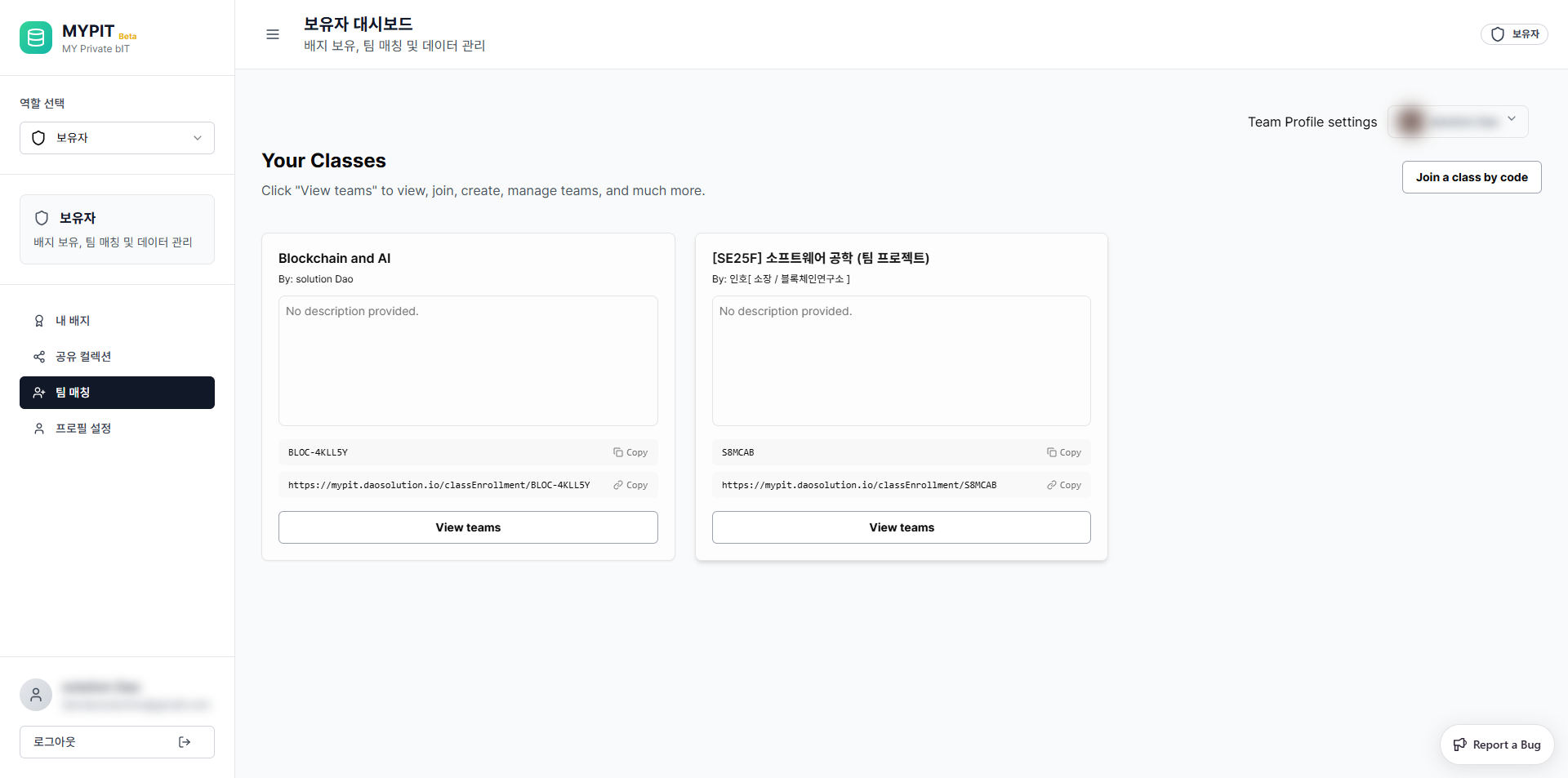
Click Join class. You will see a success notification and the new class will appear on your class list.
TIP
Class codes are case-sensitive. Make sure to enter the code exactly as provided, including any hyphens (e.g. BLOC-4KLL5Y).
Alternative: Join via Enrollment Link
You can also join a class by opening the enrollment URL directly:
https://mypit.daosolution.io/classEnrollment/[CLASS-CODE]→ Next: Managing Teams