Applying for the Issuer Role
The Issuer (발행자) role lets you issue digital badges and Verifiable Credentials to Holders on the MYPIT platform. To get this role, you must submit a role application for review.
Step 1 — Go to the Role Application Page
From the MYPIT landing page, click 역할 신청하기 in the hero section.
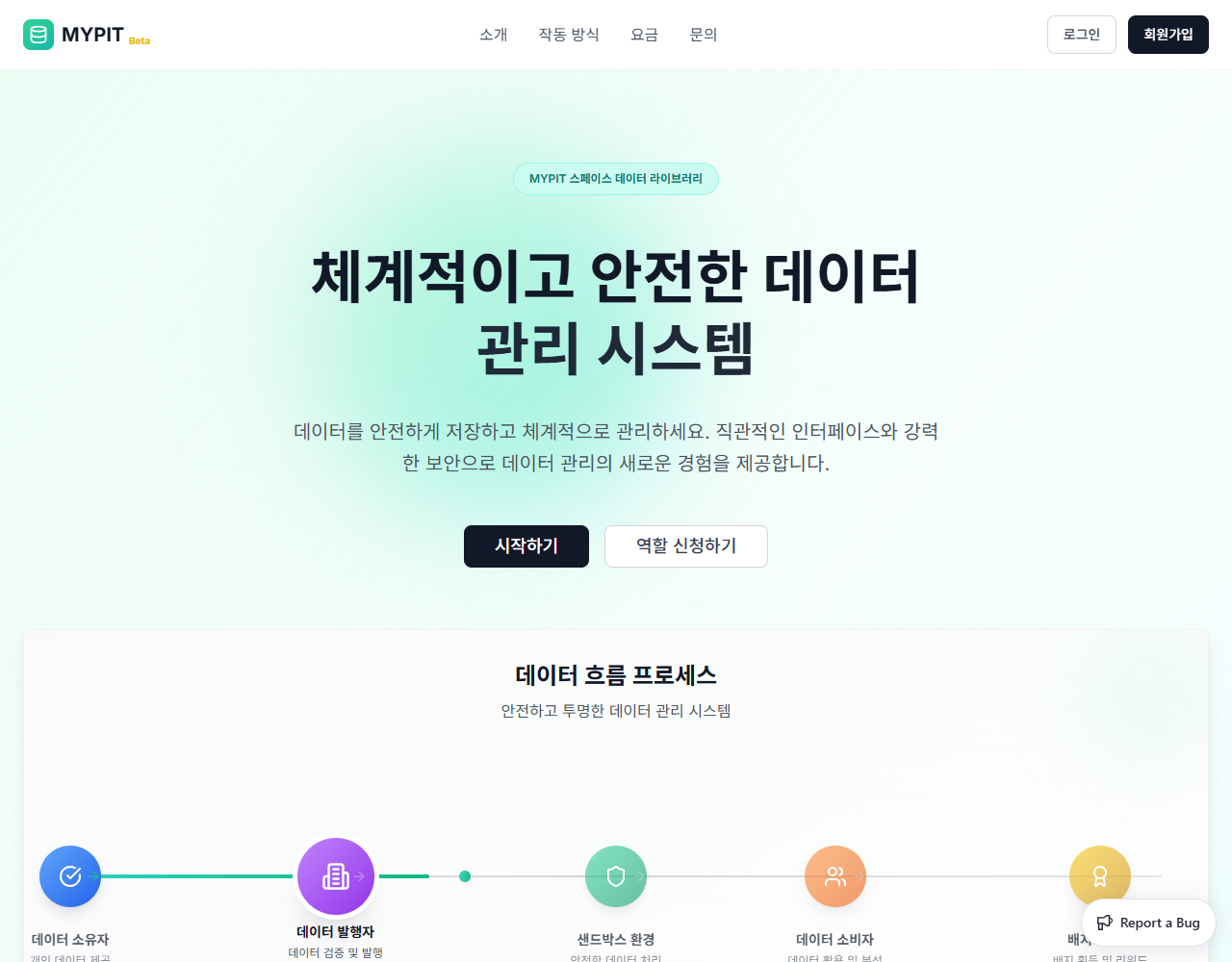
You can also go directly to the page after logging in at /role-application.
INFO
You must be logged in to submit a role application.
Step 2 — View Your Application Status
The 발행자 신청 page shows a summary dashboard at the top:
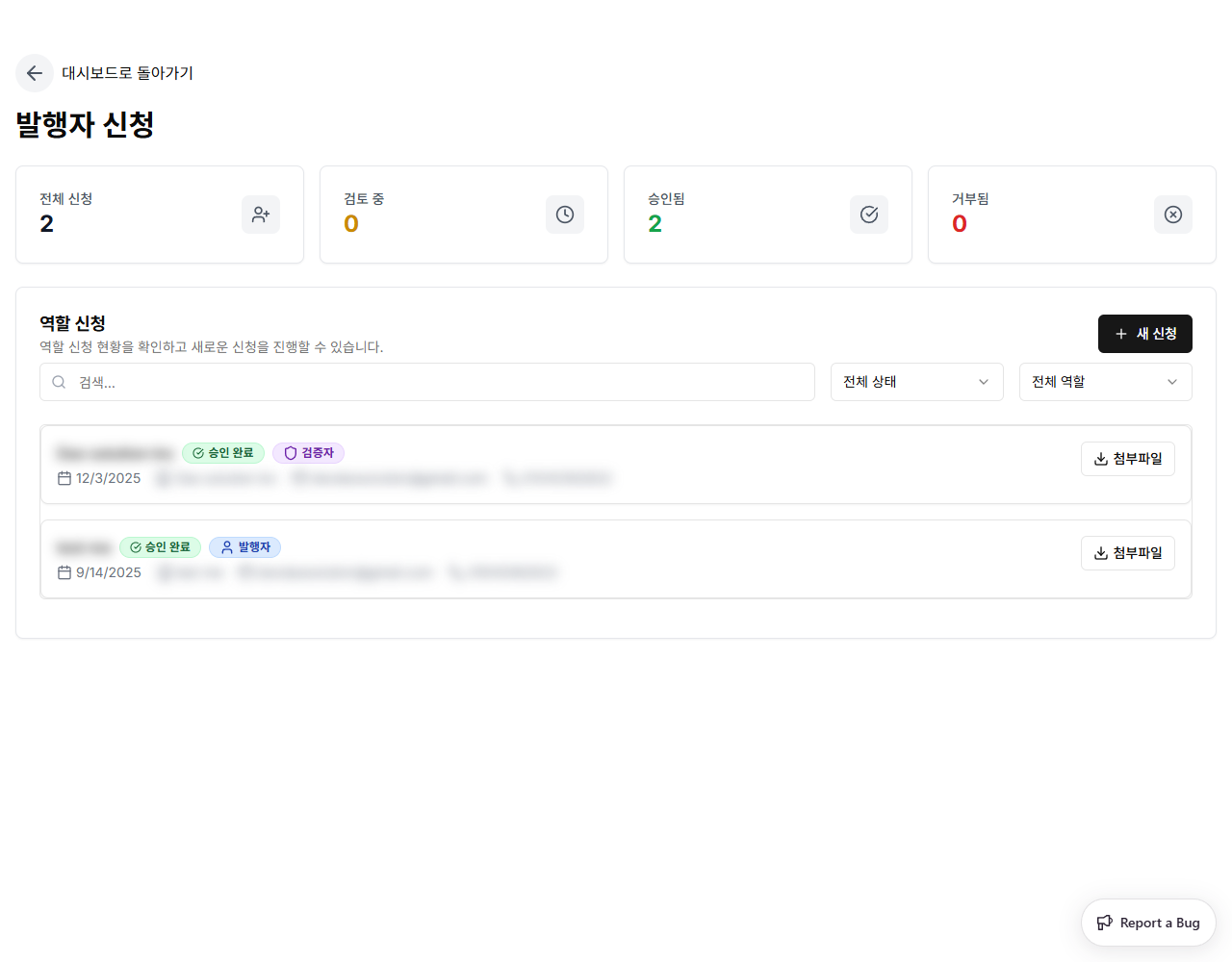
| Card | Description |
|---|---|
| 전체 신청 | Total number of applications you have submitted |
| 검토 중 | Applications currently under review |
| 승인됨 | Approved applications |
| 거부됨 | Rejected applications |
Each submitted application appears as a card showing the date, affiliated institution, email, phone, approval status badge, and role badge.
You can filter the list using the 전체 상태 (All Statuses) and 전체 역할 (All Roles) dropdowns, or search by institution name.
Step 3 — Submit a New Application
Click + 새 신청 (New Application) in the top-right corner.
The 역할 신청하기 dialog opens:
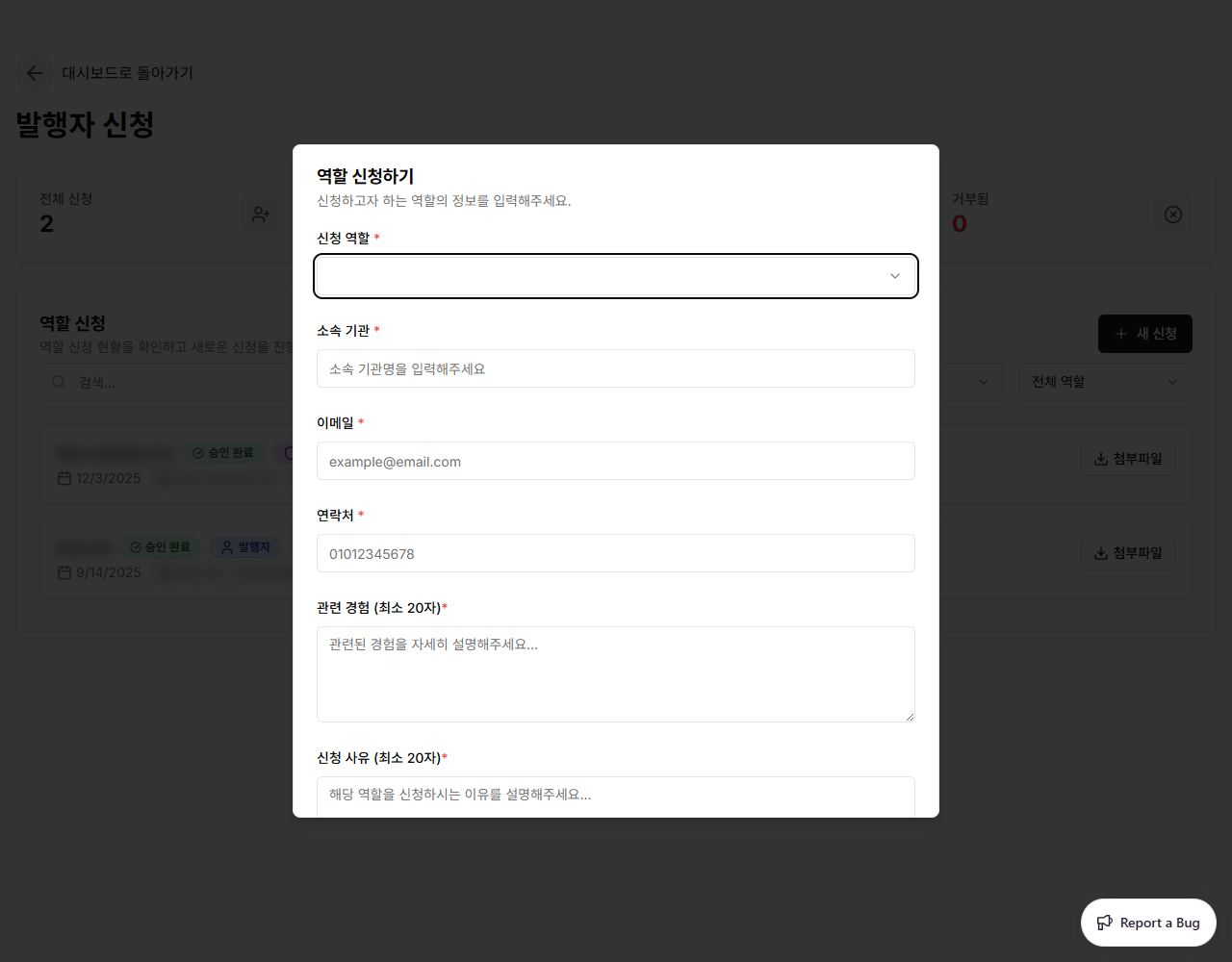
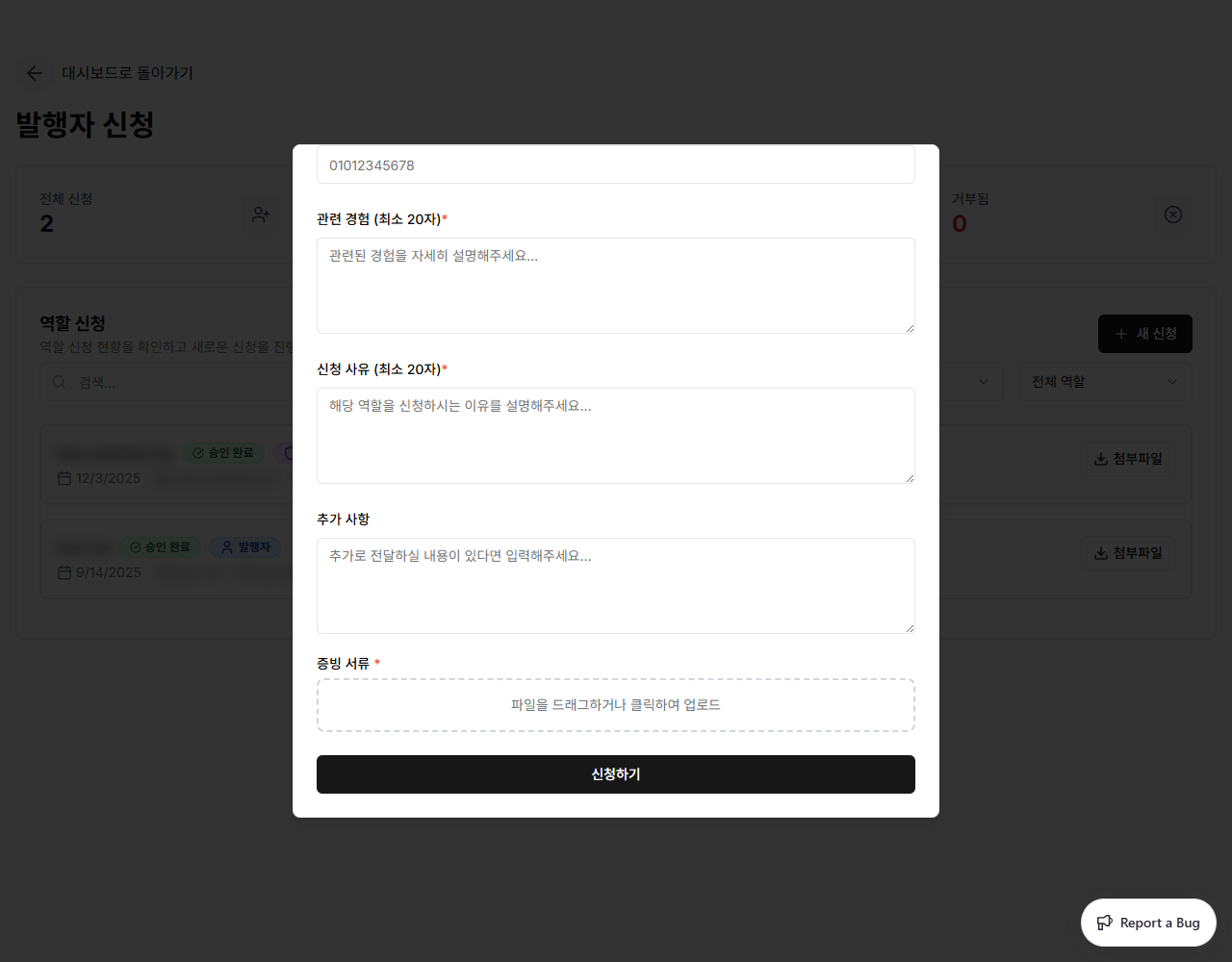
Fill in all required fields:
| Field | Required | Description |
|---|---|---|
| 신청 역할 | Yes | Select the role you want — 발행자 (Issuer), 검증자 (Verifier), or 데이터 소비자 (Data Consumer). All available roles appear in this dropdown if you have not yet applied for them. |
| 소속 기관 | Yes | Your affiliated institution or organization |
| 이메일 | Yes | Contact email address |
| 연락처 | Yes | Contact phone number |
| 관련 경험 | Yes | Describe relevant experience (minimum 20 characters) |
| 신청 사유 | Yes | Explain your reason for applying (minimum 20 characters) |
| 추가 사항 | No | Any additional information |
| 증빙 서류 | Yes | Upload supporting documents (drag & drop or click to browse) |
TIP
The 신청 역할 dropdown only shows roles you have not already been approved for. If all roles are available, all will appear in the list.
Click 신청하기 to submit. Your application is sent for admin review.
Step 4 — Wait for Review
After submitting, your application appears in the list with a 검토 중 (Under Review) badge. Once an admin approves or rejects it, the status updates to 승인 완료 or 거부됨.
INFO
You will be notified when your application status changes. Once approved, the new role appears in the Role Selector dropdown in your dashboard sidebar.