Profile Settings
The Profile Settings section shows your personal information and your verifiable credential issued by the MYPIT system.
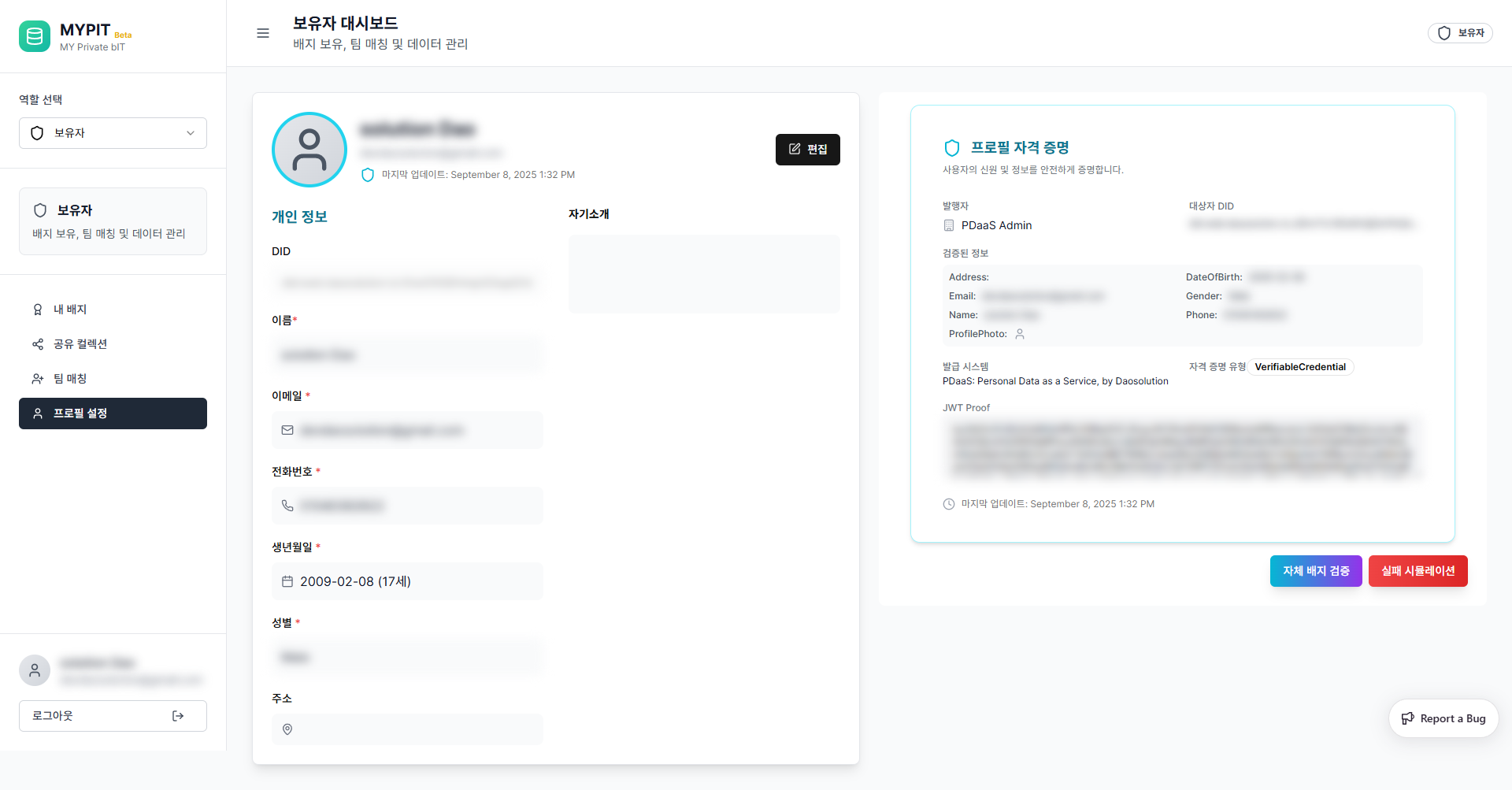
Personal Information
| Field | Description |
|---|---|
| DID | Your unique Decentralized Identifier — auto-generated, read-only |
| Name | Your registered name |
| Your verified email address | |
| Phone | Your verified phone number |
| Date of Birth | Your registered date of birth |
| Gender | Your registered gender |
| Address | Your registered address (optional) |
| Bio | A short self-introduction (optional) |
Editing Your Profile
- Click the 편집 (Edit) button in the top-right of the profile card
- Update the fields you want to change
- Save your changes
WARNING
Fields marked with * are required and tied to your verifiable credential. Changes to these fields may require re-verification by your Data Publisher.
Profile Credential (Verifiable Credential)
The right panel shows your 프로필 자격 증명 (Profile Credential) — a cryptographically signed document that proves your identity.
| Field | Description |
|---|---|
| Issuer | The organization that issued your credential (e.g. PDaaS Admin) |
| Subject DID | The DID this credential belongs to |
| Verified Info | All verified personal data fields |
| Issued System | PDaaS: Personal Data as a Service, by Daosolution |
| Credential Type | VerifiableCredential |
| JWT Proof | Cryptographic proof token |
Self-Verification
At the bottom of the credential panel you will find two buttons:
| Button | Description |
|---|---|
| 자체 배지 검증 (Self Badge Verify) | Runs a verification check on your credential |
| 실패 시뮬레이션 (Failure Simulation) | Simulates a failed verification for testing purposes |