Badge Templates
The Templates section lets you create reusable badge templates. Each template defines the badge type, image, validity, and pricing that will be used when issuing badges to holders.
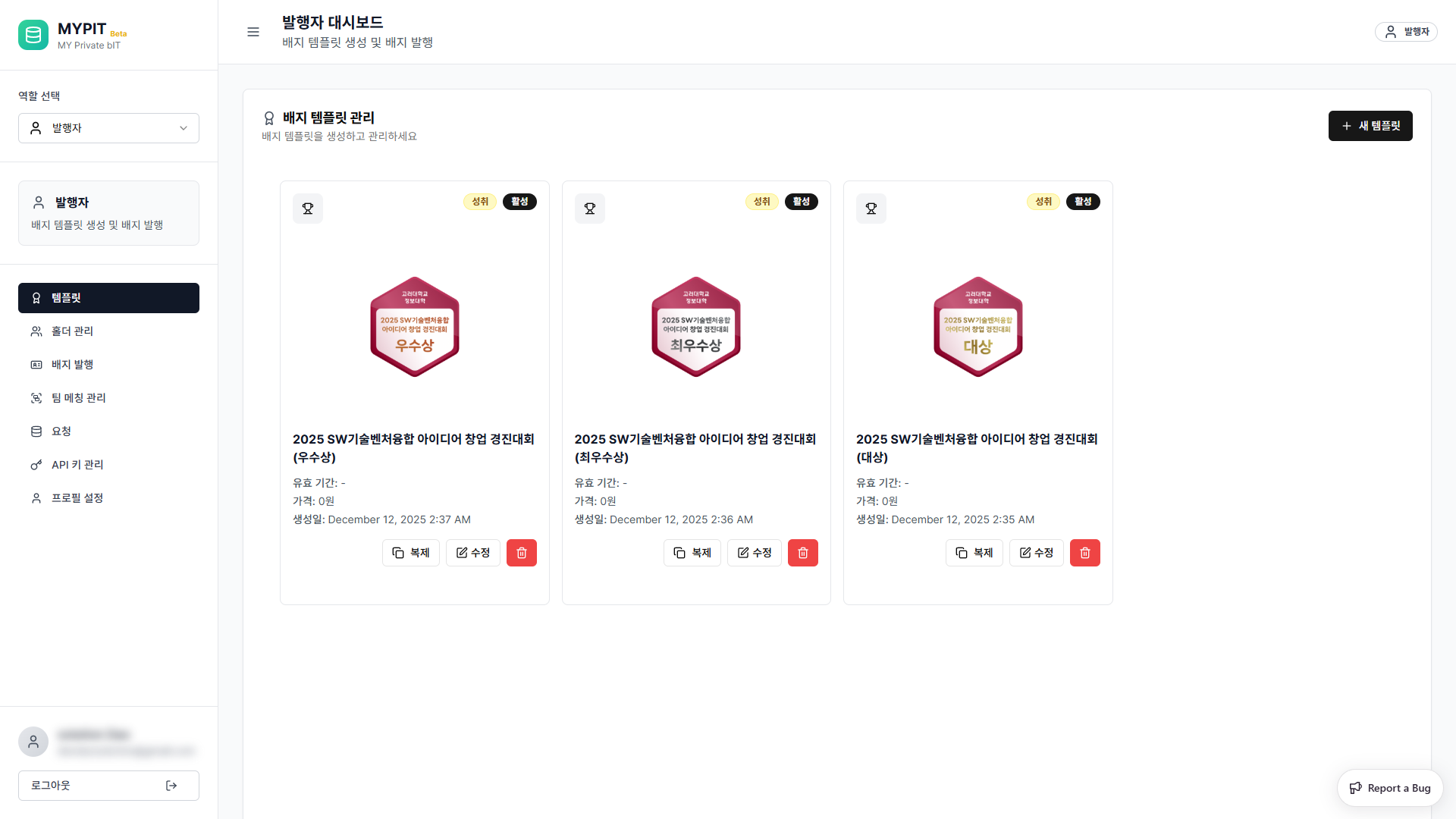
Viewing Templates
All your templates are displayed as cards. Each card shows:
- Badge image and name
- Badge type (e.g. 성취, ZKP 모빌리티, 헬스케어, 금융)
- Validity period and price
Creating a New Template
Click + 새 템플릿 (New Template) in the top-right corner.
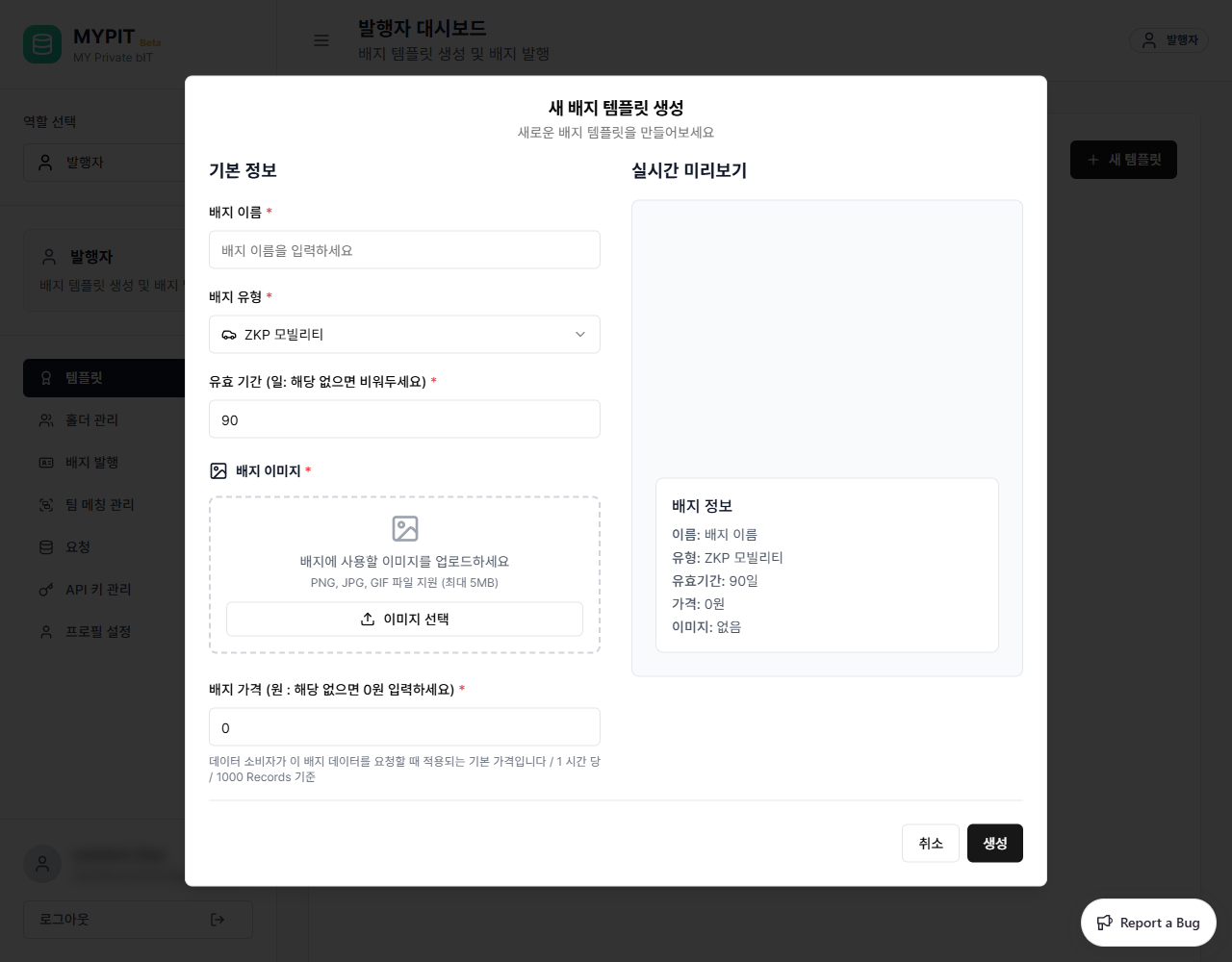
Fill in all required fields:
| Field | Required | Description |
|---|---|---|
| 이름 | Yes | Template name displayed on the badge |
| 유형 | Yes | Badge type — 성취, ZKP 모빌리티, 헬스케어, or 금융 |
| 유효기간 | No | Number of days the badge is valid after issuance |
| 이미지 | Yes | Upload a badge image (drag & drop or click to browse) |
| 가격 | No | Price per time unit for data access |
| 설명 | No | Description of what this badge represents |
| 발급기준 | No | Criteria required to earn this badge |
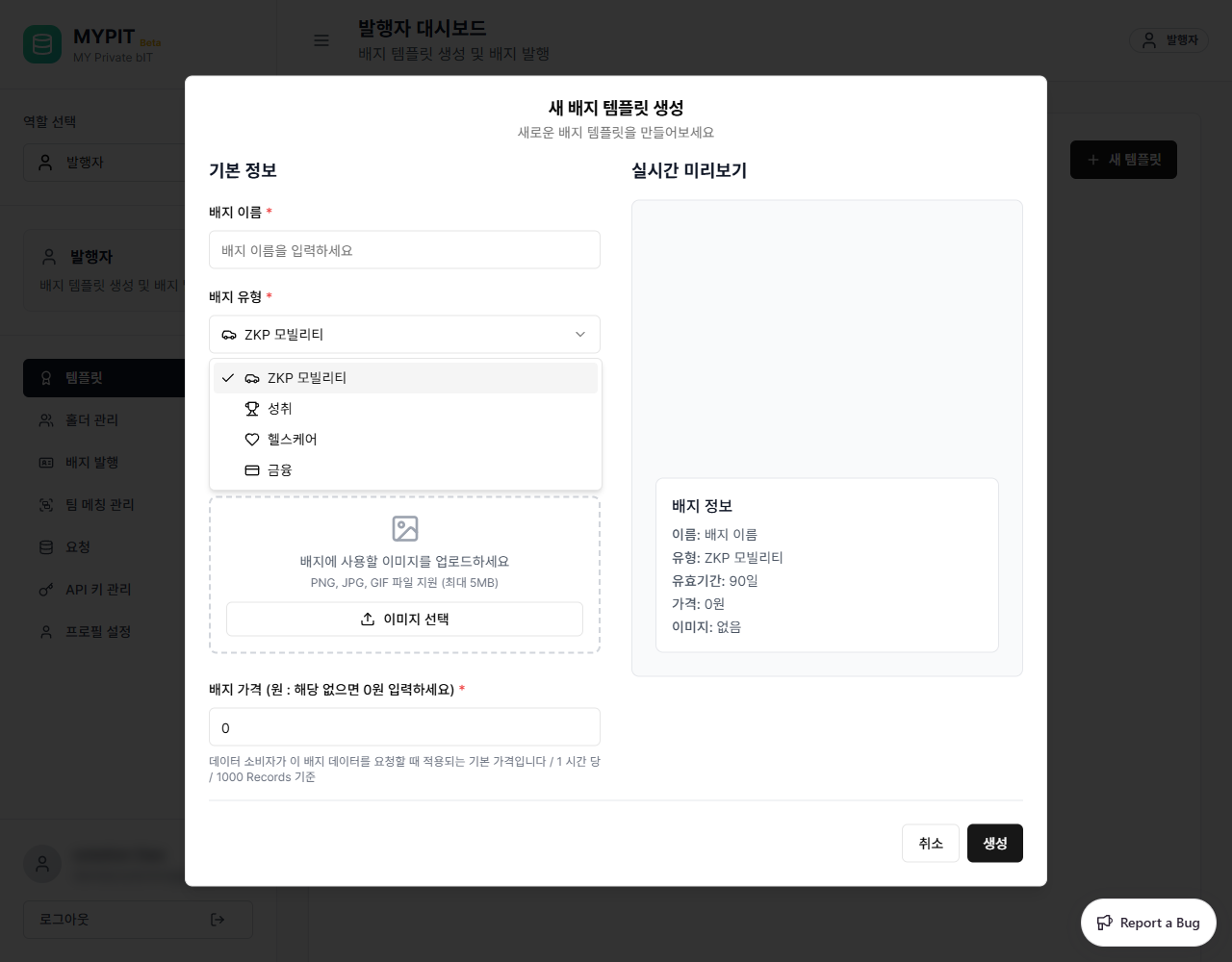
Click 저장 to create the template.
Editing a Template
Click the edit icon on any template card to open the edit form.
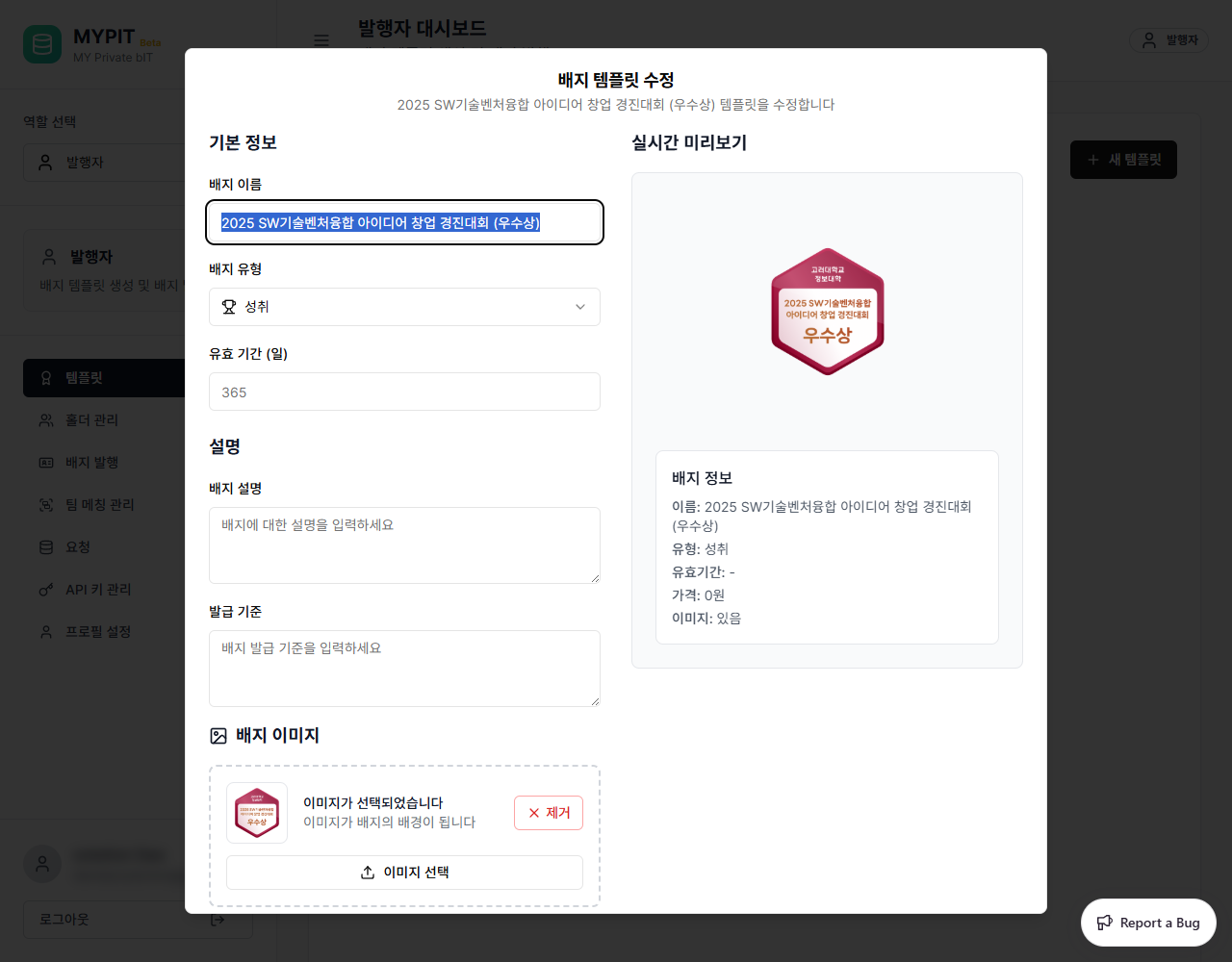
Make your changes and click 저장 to update.