Holder Management
The Holder Management section lets you add and manage the people (holders) you can issue badges to.
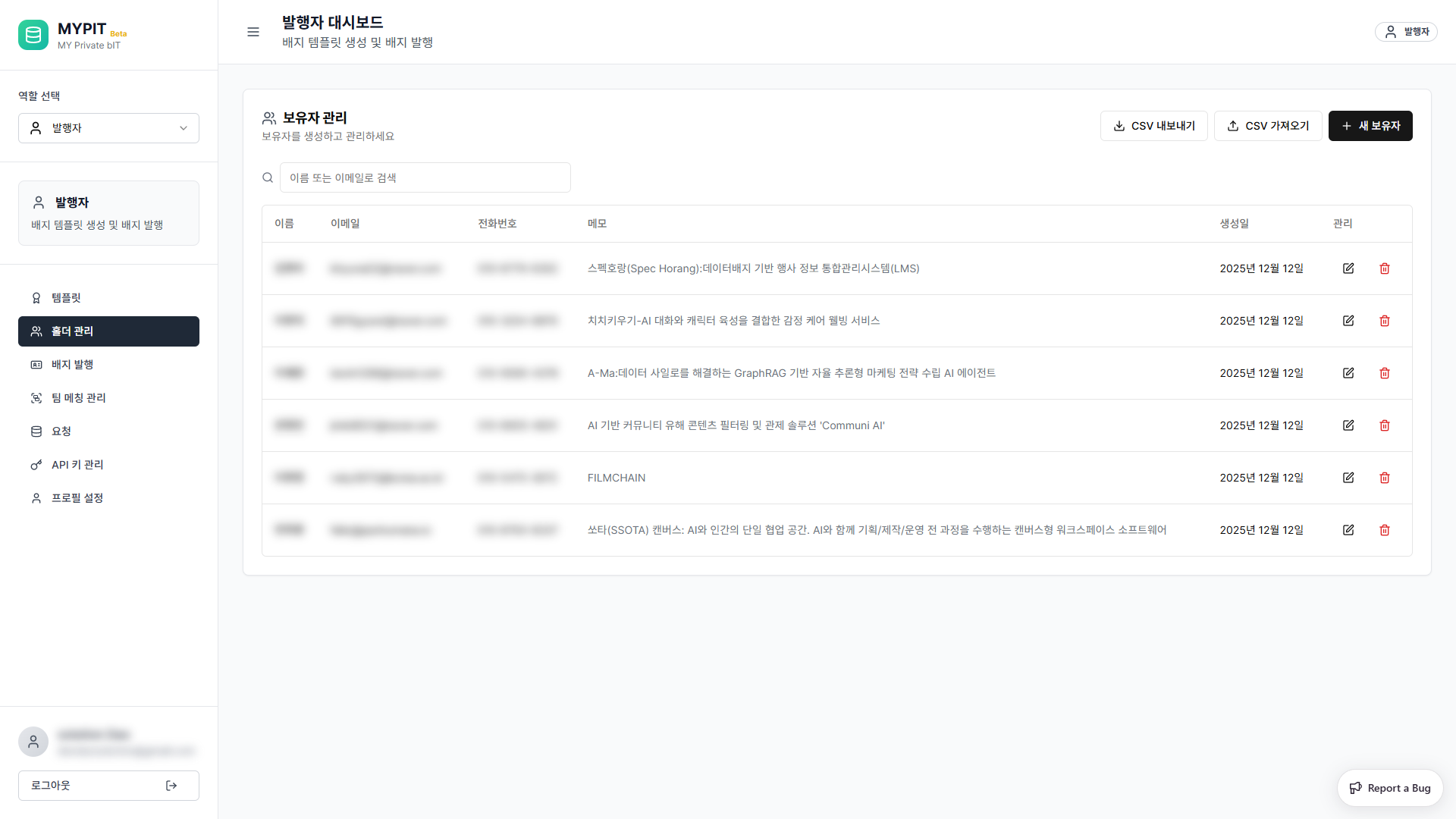
Holder List
The table shows all registered holders with:
| Column | Description |
|---|---|
| 이름 | Holder's name |
| 이메일 | Contact email address |
| 전화번호 | Contact phone number |
| 메모 | Optional notes about this holder |
| 생성일 | Date the holder was added |
| 관리 | Edit or delete buttons |
Use the search box to filter by name or email.
Adding a New Holder
Click + 새 보유자 (New Holder) in the top-right corner.
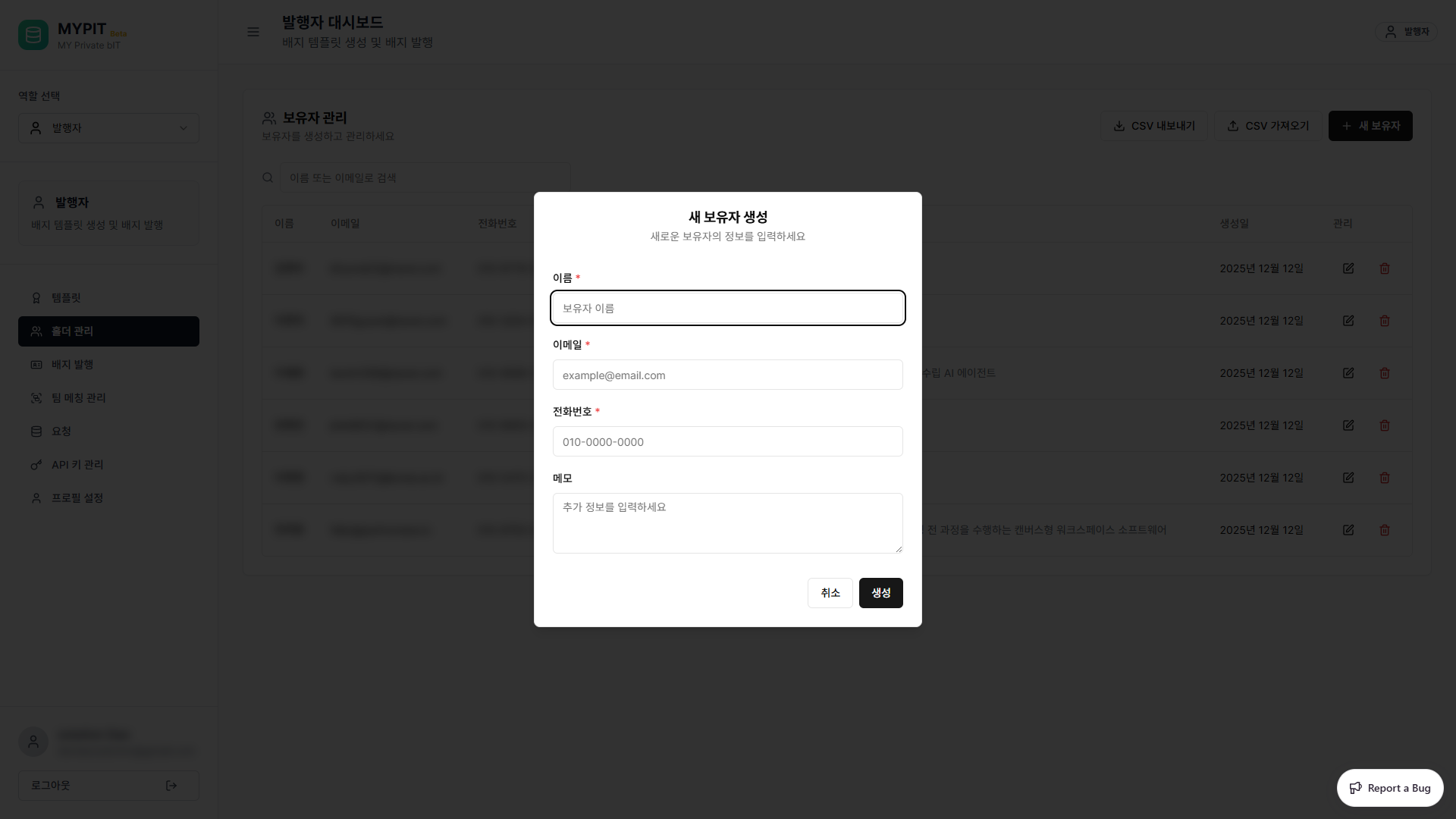
| Field | Required | Description |
|---|---|---|
| 이름 | Yes | Holder's full name |
| 이메일 | Yes | Holder's email address |
| 전화번호 | Yes | Contact phone number |
| 메모 | No | Any additional notes |
Click 생성 to add the holder.
Importing Holders via CSV
Click CSV 가져오기 to bulk-import holders from a CSV file. The CSV must include columns for name, email, and phone number.
Exporting Holders
Click CSV 내보내기 to download the full holder list as a CSV file.